MENUMENUCLOSECLOSE


Three.js • WebGL & Graphics Programming • WebGPU
08 Oct 2026
5 MIN READ 




After getting tiling, instancing, distance culling, frustum culling, and tile recycling in place, the performance improvement was noticeable. This was a big moment because the system was no longer behaving like the original experiment. I could increase the size of the grass field without the amount of work growing in the same way.
But I knew something was still missing. I was still rendering the same detailed grass geometry whether the grass was right in front of the camera or hundreds of meters away. That didn't make much sense.
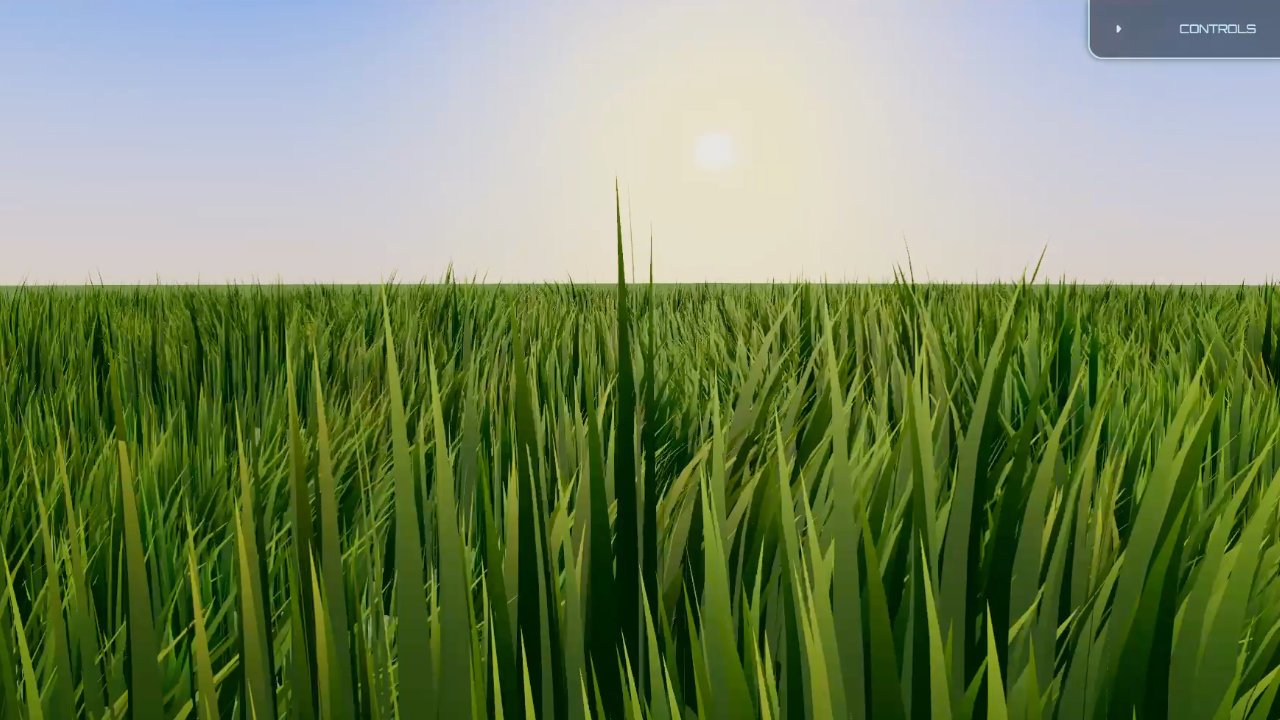
The same detailed grass representation is being used from the foreground into the distance.
In the real world, detail naturally disappears with distance. If you look at a blade of grass right in front of you, you can see its shape. Move far enough away and that same blade might only cover a couple of pixels.
There is no reason to spend the same GPU resources rendering all of that geometry. This is why LOD, or Level of Detail, is used in real-time graphics. Trees, buildings, characters, environments, and many other objects can use different representations depending on how far they are from the camera. The further something is, the less detail it needs.
What I liked about the system I already had was that I did not need to completely rethink how grass geometry was generated. The geometry generator already had two important parameters: density and detail.
Density controlled how many blades were generated. Detail controlled how many triangles were used to represent each blade. A blade could be very simple, even just a single triangle, or it could use multiple triangles. More geometry allowed the blade to bend and deform in a more natural way.
So instead of creating a completely separate system for LOD, I made these parameters configurable and used them to build different levels of detail. I ended up with four LOD levels. Each one could be customized independently, so the developer could decide how much detail each level should have depending on the environment and performance requirements.
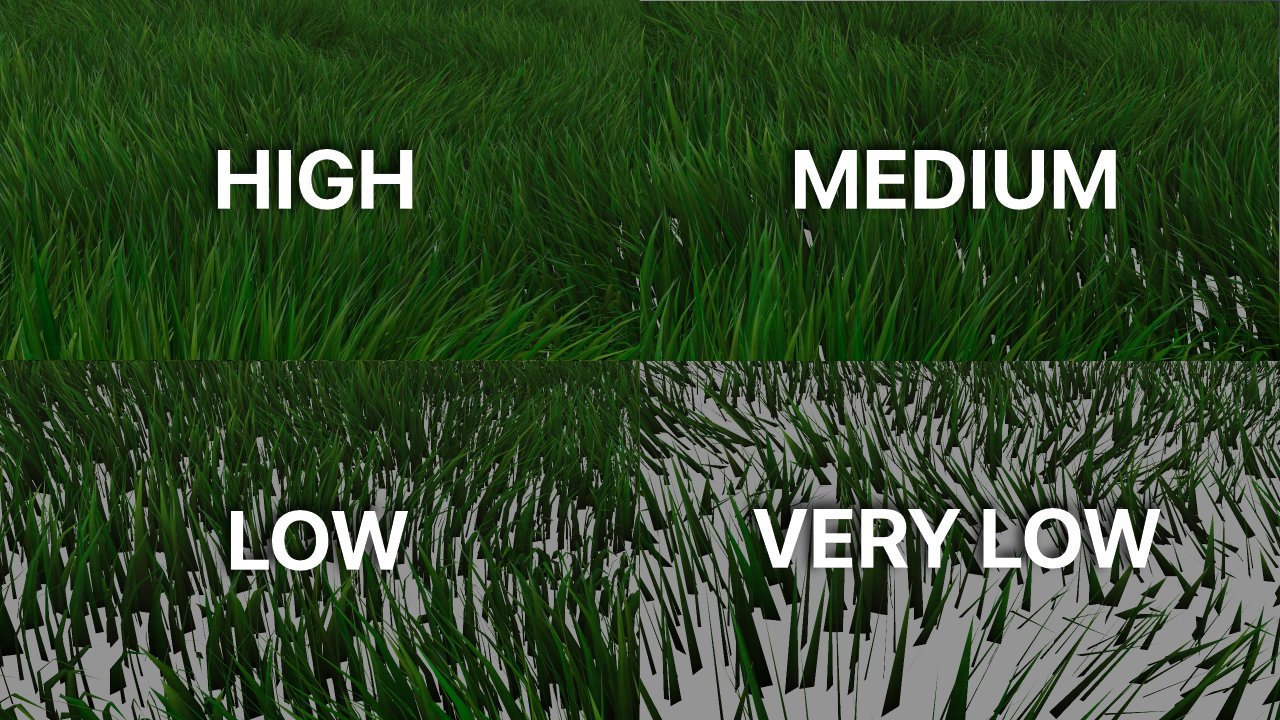
The same grass represented at four different detail levels, from the highest geometric detail to a much simpler representation.
I did not want to generate these geometries every time the LOD changed. So when the application starts, the four LOD geometries are generated up front.
Then the existing tile system from Part 3 does most of the work. Every tile already has a position in the world. I calculate its distance from the camera, compare that distance against the LOD ranges, and assign the appropriate geometry to the tile.
Close tile? Use the detailed geometry. Farther away? Use a cheaper one. Very far away? Use an even simpler representation. The important part is that the LOD decision happens at the tile level, not for every individual blade.
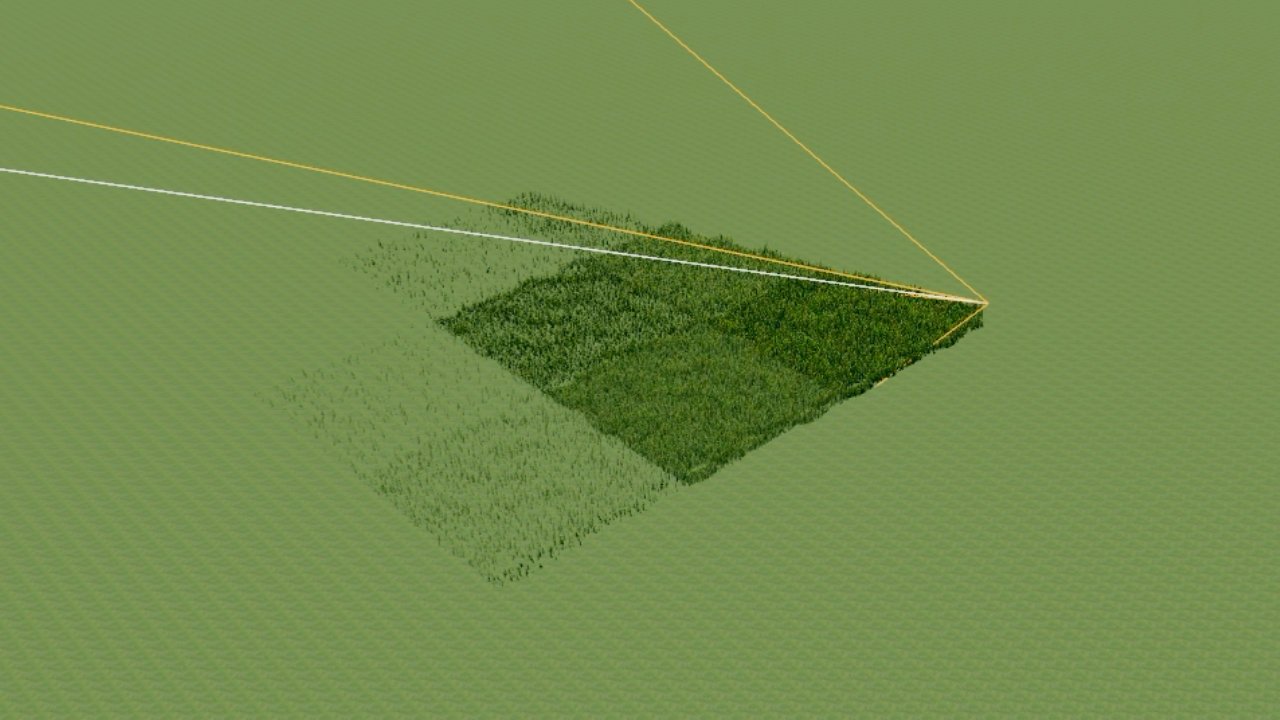
Grass tiles switch to progressively simpler geometries as their distance from the camera increases.
The LOD selection itself was straightforward, but transitioning between two different geometries needed a little more thought. If a tile was going from one LOD to another, I needed both versions of the grass to exist during the transition. I could not simply replace the geometry on the existing mesh and animate between the two.
So each tile ended up with its normal mesh and a temporary tile mesh. The temporary mesh stayed hidden most of the time. When an LOD transition was needed, it would use the new LOD geometry and become visible alongside the existing mesh. Once the transition finished, the temporary mesh would be hidden again.
Because the temporary mesh was only visible for a short time during a transition, it did not add a significant ongoing performance cost.
The first thing I tried was crossfading between the two LODs. The idea was simple. As a tile moved from one LOD range to another, gradually reduce the opacity of the old one while increasing the opacity of the new one.
It worked to an extent, but there was a problem. It meant using transparency. And transparency can be expensive when you are dealing with a huge amount of grass. Turning the material transparent had a noticeable performance cost, which defeated part of the reason I was introducing LOD in the first place.
Each tile normally uses one mesh. A temporary second mesh appears only while transitioning between two LOD geometries.
The next idea was much simpler. Instead of fading between the two LODs, I could animate the blades themselves. When switching from one LOD to another, the old grass would gradually move down into the ground while the new grass would come up from the ground.
This actually looked much better. It also kept the performance characteristics I wanted because I was not relying on transparency. For the first time, the LOD transition felt reasonably natural.
But there was another problem. It was how the LODs changed as the player moved. As the player moved through the field, especially when moving diagonally, the distance to a large number of tiles could cross an LOD boundary at roughly the same time. That meant many tiles could start their transitions together.
When several tiles began moving their old grass down and bringing the new grass up at the same time, the effect became much more noticeable. It worked, but it was not perfect.
I tried a lot of different approaches to improve it, but I kept running into the same problem.
Eventually, I settled on the blade animation approach: the old LOD moves down into the ground while the new LOD comes up. It was good enough for that stage of the system, and the performance was where I wanted it.
But I knew the transition itself was not a proper final solution. I left it in place and moved on, knowing I would have to revisit it later.
The important part was that the LOD system itself was already doing what I needed. The renderer no longer had to spend the same amount of geometry on grass that was right in front of the camera and grass that was far away.
The LOD system made a huge difference. The grass closest to the camera could keep the geometry needed for individual blades to look good, while distant grass could use much simpler geometry.
Combined with the tiled system, distance culling, frustum culling, and tile recycling from Part 3, the renderer was now able to spend much more of its GPU budget where the detail actually mattered.
The system was no longer just trying to render as much grass as possible. It was starting to make decisions about where that detail was actually worth the cost. This was another big step toward the production system that would eventually become Three.js Grassworks.
The architecture was becoming much closer to what I wanted. Part 3 solved the problem of scaling the field itself. Part 4 solved another part of the problem: scaling the amount of detail.
But there was still a lot more to solve before this could become the system I wanted to ship. The grass needed to work with the terrain, respond to the environment, and eventually support much more than just rendering blades efficiently.
Read the previous part: Making Grass Scale
Read the next part: Three.js Grass on Terrain: How I Used a Height Map
 by the team at Tech Redux by the team at Tech Redux